Step 3 - Adding Creator Information
In this step of the submission, you list the individuals who created and contributed to the dataset. Correctly identifying authors ensures that everyone receives proper credit and that your data can be cited accurately.
Managing Authors
Section titled “Managing Authors”The main interface for this step shows a list of current authors.
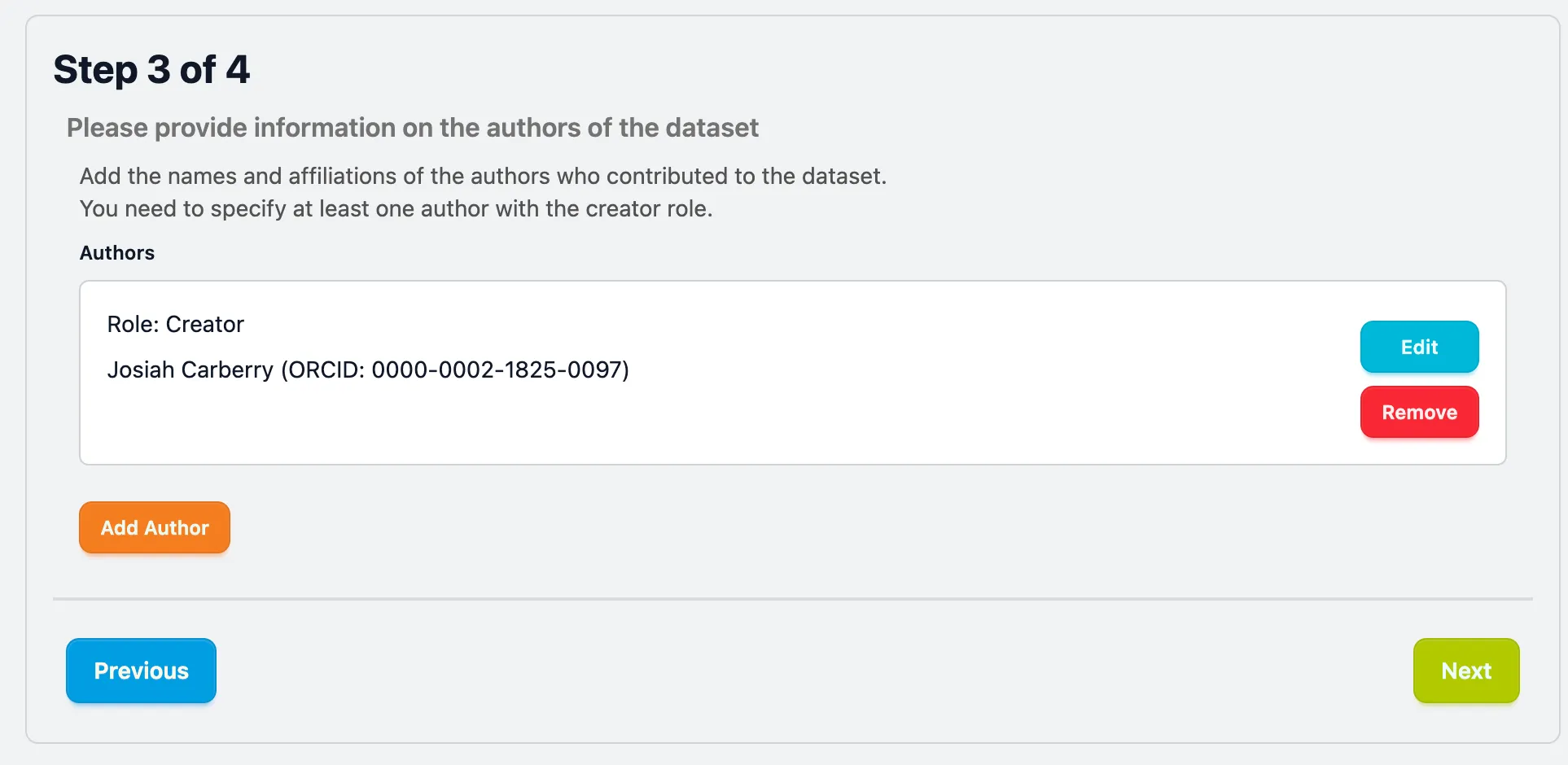
- Add Author: Click this button to open the detailed entry form for a new contributor.
- Edit: Modify the details of an existing author.
- Remove: Delete an author from the list.
When adding or editing an author, you will be presented with the following fields:
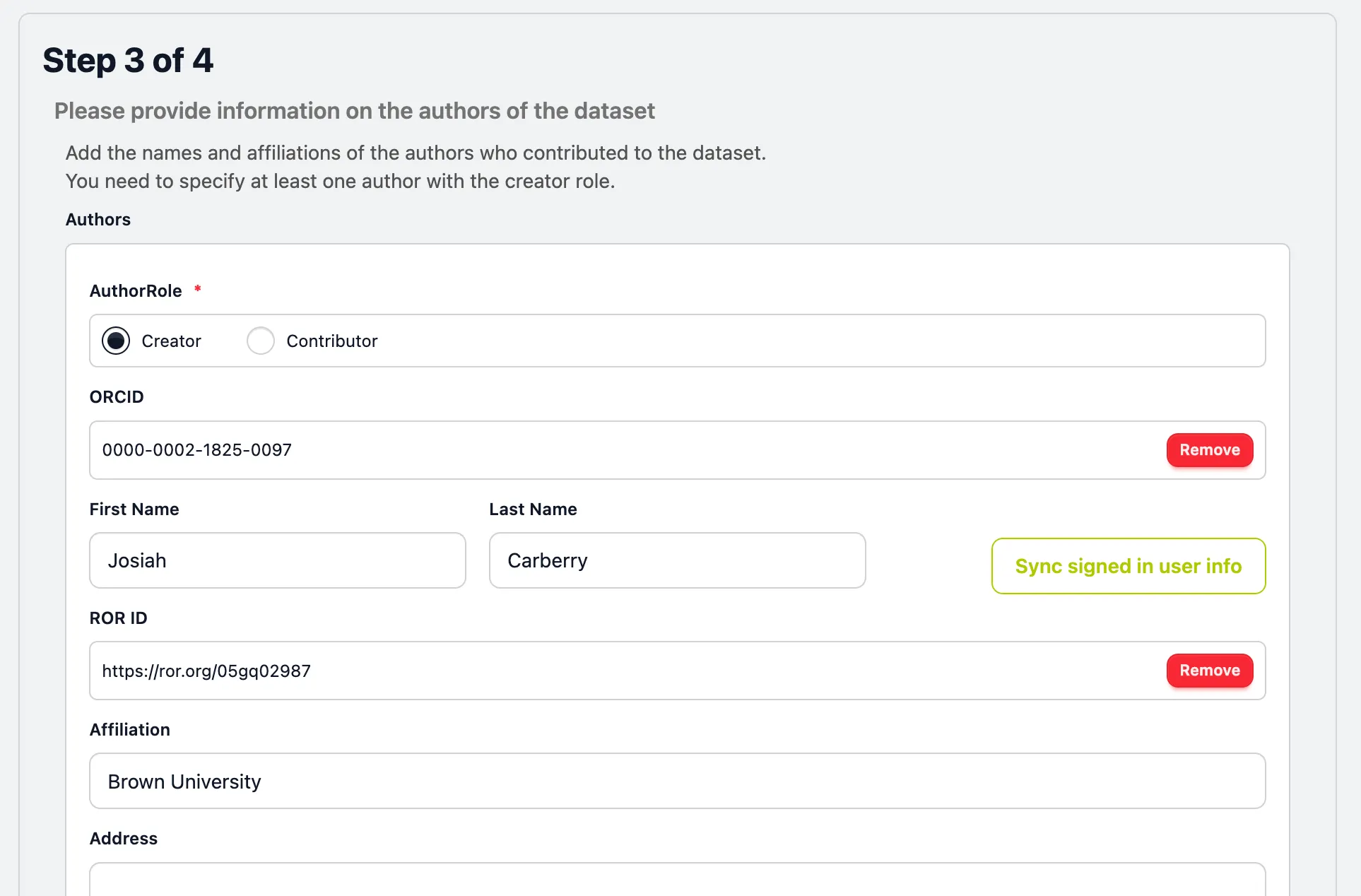
Select the appropriate role for the individual:
- Creator: Main researchers involved in producing the data. They will appear in the citation of the dataset.
- Contributor: Individuals who helped (e.g., data curation, technical support).
ORCID (Open Researcher and Contributor ID)
Section titled “ORCID (Open Researcher and Contributor ID)”Entering an ORCID iD is required to uniquely identifiy authors across the global research ecosystem.
- Example:
0000-0002-1825-0097
- First Name: (e.g. Josiah)
- Last Name: (e.g. Carberry)
You must provide the institutional affiliation for every author.
- Affiliation Name: The full name of the institution (e.g. Brown University).
Once you have added all authors and their roles, click Next to proceed to the data upload.